Beyond: A Google Slides Template for Modern Visual Storytelling
You've been there. The client meeting is in two hours, the deck is a mishmash of default templates, and your brand's sleek, modern identity feels lost in a sea of generic bullet points and cheesy clip art. The presentation isn't just a set of slides; it's a first impression, a pitch, a story. And right now, that story is falling flat. This is the gap where thoughtfully crafted design assets step in, transforming a necessary task into a powerful communication tool. Enter the Beyond - Google Slide Template, a collection engineered not just to display information, but to frame it within a visually compelling, magazine-style narrative.
Designed for Distinction, Not Just Decoration
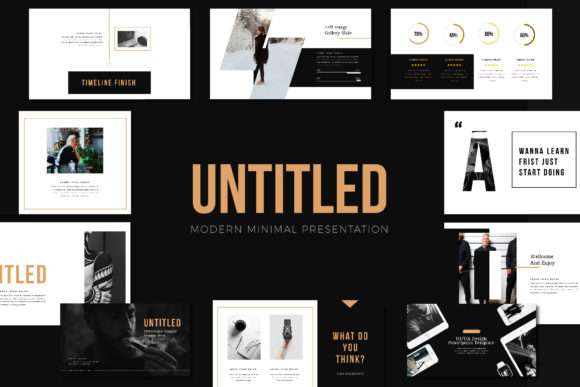
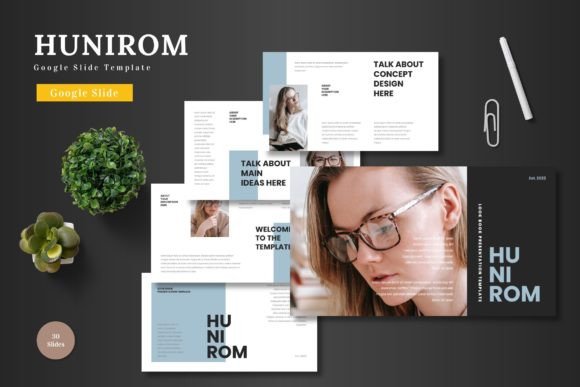
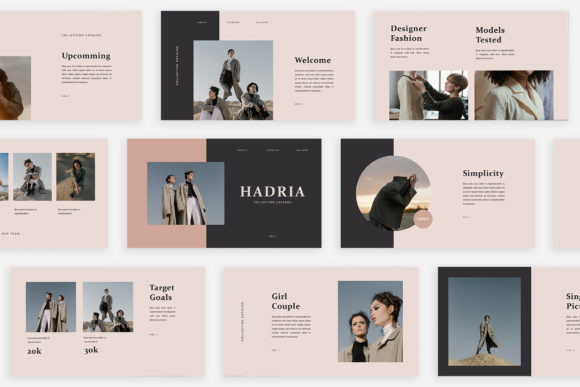
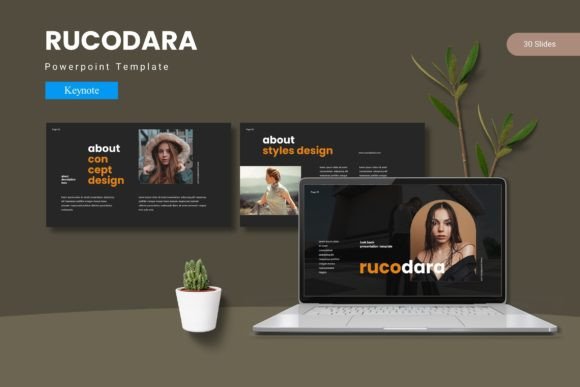
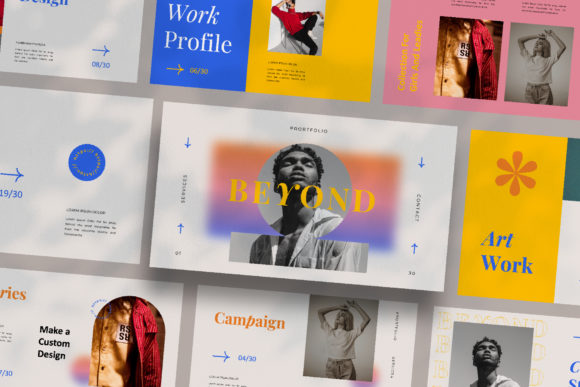
What immediately sets the Beyond - Google Slide Template apart is its foundational philosophy: each slide is a unique composition. You won't find yourself recycling the same two-column layout or image-with-text placeholder thirty times. Instead, you're met with a curated gallery of arrangements—some favoring bold, full-bleed photography with minimal text overlays, others offering structured grids for data or team bios, and still others presenting content in elegant, lookbook-style spreads. This variety is crucial for maintaining audience engagement. A presentation that visually evolves prevents the dreaded "slide fatigue" and keeps your content feeling fresh and intentional from start to finish.
The template's aesthetic leans into a clean, contemporary style that serves as a versatile canvas. It’s the kind of design you’d expect from a high-end digital magazine or a forward-thinking marketing agency. The automatic color change feature is a particularly smart touch, allowing you to instantly adapt the entire deck's palette to match a specific brand identity in seconds, ensuring visual consistency without manual, slide-by-slide tweaking. This makes it an indispensable tool for freelancers and agencies juggling multiple client brands, or for businesses that want to present a cohesive image across all their materials.
Practical Applications: From Pitch Decks to Social Campaigns
The true value of a design asset like this lies in its adaptability. Think of it less as a "presentation template" and more as a structured visual system for your ideas. For a startup founder, it’s the perfect vehicle for a seed-round pitch, where a polished, professional presentation can make all the difference. The unique layouts allow you to dedicate impactful, full-slide visuals to your product demo, followed by a clean, data-driven slide for your financials, all within a unified design language.
Marketers and content creators will find it equally powerful for building brand identity kits. Use a series of slides to map out social media graphics for an Instagram campaign, ensuring each post has a complementary but distinct feel. Create a brand style guide presentation that doesn't just list fonts and colors but showcases them in action across mock-ups of websites, packaging, and digital ads. The Lookbook and Magazine Style Layouts are particularly effective here, turning what could be a dry guideline document into an inspiring mood board.
Beyond the boardroom, the applications are surprisingly broad. Educators can create engaging lesson plans that feel more like interactive web pages than static slideshows. Event planners can design stunning digital invitations or program guides. Non-profits can craft compelling fundraising decks that emotionally connect with potential donors through powerful imagery and concise storytelling. The template's structure encourages you to think in terms of visual hierarchy and pacing, which are fundamental principles of good design, whether you're creating a slide deck, a website, or a printed brochure.
Streamlining Workflow with Smart Features
A beautiful template is useless if it's cumbersome to customize. The Beyond - Google Slide Template is built with practicality in mind. Created with Slide Master, the process of adding your own content is as simple as dragging and dropping your images into designated placeholders. This eliminates the frustration of wrestling with image proportions and text boxes, letting you focus on your message rather than technical formatting. The template is delivered as a PPTX file, ensuring full compatibility with both Google Slides and PowerPoint, and its Full HD resolution guarantees your presentation will look sharp on any modern display or projector.
Typography is often an afterthought in templates, but here it’s given careful consideration. The use of free, readily available fonts means you won't run into licensing headaches or need to purchase expensive typefaces to replicate the preview's look. The included Help & Instruction PDF with font links is a small but critical detail that demonstrates an understanding of real-world use. This attention to the complete user experience—from initial download to final presentation—reduces friction and empowers you to produce professional results quickly.
Ultimately, tools like the Beyond - Google Slide Template are about elevating your communication. In a world saturated with information, how you present your ideas is as important as the ideas themselves. By providing a framework that is both visually sophisticated and highly functional, it allows individuals and teams to communicate with greater clarity, confidence, and style. It’s a reminder that effective design isn't about complexity; it's about creating a clear, engaging path for your audience to follow, one beautifully crafted slide at a time.