Vibrant Text Effects for Eye-Catching Design Projects
Every designer knows the struggle: you’ve spent hours perfecting a layout, but the text feels flat, lifeless, and fails to pop off the page. The difference between a good design and a great one often lies in those final touches—the subtle textures, the perfect shadow, or that dynamic, three-dimensional quality that makes a headline command attention. For those working in Adobe Photoshop, achieving this level of polish manually can be time-consuming, requiring a deep understanding of layer styles, blending modes, and lighting effects. But what if there was a shortcut that didn’t sacrifice quality?
Transforming Simple Text into Visual Statements
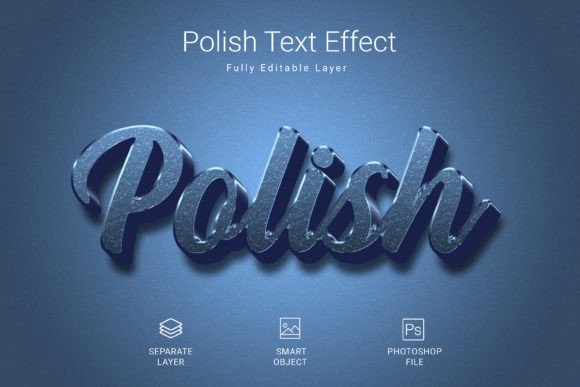
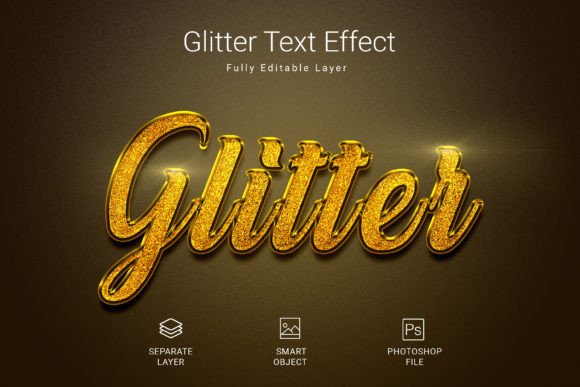
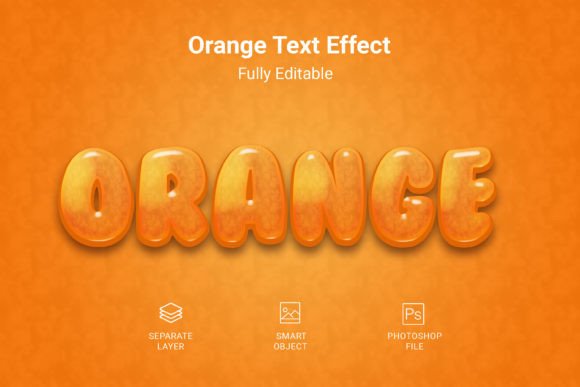
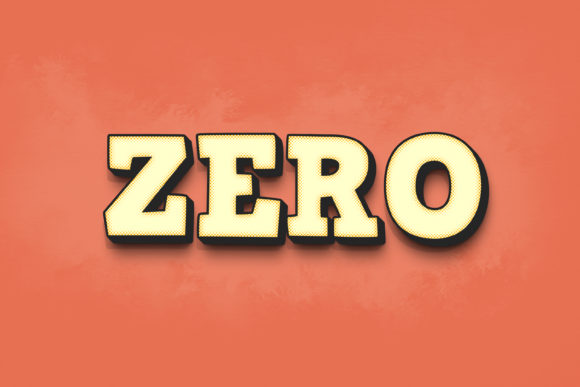
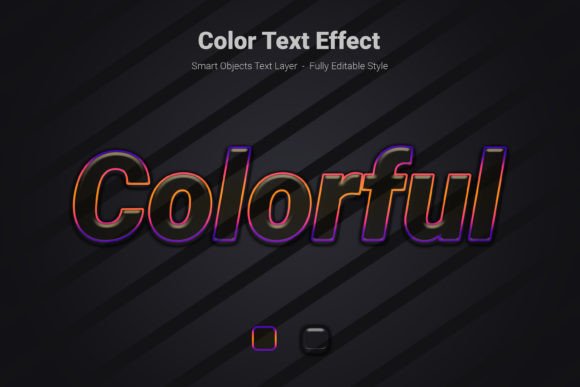
Imagine being able to apply a stunning, multi-dimensional effect to any text, shape, or vector logo in your Photoshop document with just a couple of clicks. This is the core promise of the Colorful Psd Text Style Effect Mockup. It’s not just a static image; it’s a dynamic template designed to save you hours of work while delivering a consistently high-quality result. The process is elegantly simple: you open the provided PSD file, locate the clearly labeled smart object layer, double-click to open it, paste your own text or shape, save, and watch as the vibrant, colorful effect is instantly and perfectly applied to your design.
The visual appeal of this particular effect is in its bold, energetic aesthetic. It combines a sense of depth and texture with a bright, modern color palette, making it ideal for projects that need to convey excitement, creativity, or youthful energy. Think of the titles on a music festival poster, the headline for a tech startup’s landing page, or the main graphic on a merchandise t-shirt. The effect creates a look that feels both premium and playful, striking a balance that works across a wide range of applications.
Practical Applications Across Creative Fields
The true value of a design asset lies in its versatility. This PSD text effect isn’t a one-trick pony; it’s a tool that can be integrated into numerous professional and personal projects, enhancing visual communication at every turn.
For Branding and Logo Design: A brand’s logo needs to be memorable. While a classic serif or clean sans-serif font forms the foundation, applying a dynamic effect like this can create a powerful brand mark for specific campaigns, social media profile pictures, or event collateral. It helps a brand stand out in a crowded digital space, making a lasting impression on potential customers.
For Social Media and Digital Marketing: In the fast-scrolling environment of Instagram, Facebook, or TikTok, you have mere seconds to grab attention. A vibrant, textured text style for your post headers, story titles, or video thumbnails can dramatically increase engagement and click-through rates. It’s a secret weapon for content creators and marketers looking to boost their visual impact without investing in complex video production or 3D modeling software.
For Packaging and Merchandise: Product packaging must tell a story and attract the right buyer. This effect can be used to create striking product names or limited-edition labels that pop on the shelf. Similarly, for entrepreneurs selling t-shirts, mugs, or posters, it offers a quick way to generate eye-catching designs that look professional and ready for print-on-demand services.
For Editorial and Web Design: Bloggers and website owners can use it to create standout article titles, chapter headings in digital magazines, or featured image text. It adds a layer of visual interest that can break up text-heavy pages and guide the reader’s eye, improving the overall user experience and making your content feel more curated and polished.
Ensuring Your Design Works: Readability and Pairing
While a flashy effect is great, it must never come at the expense of clarity. The most beautiful text is useless if your audience can’t read it. When using any stylistic text effect, always consider the context.
First, choose the right base font. The mockup works with any font, but the starting point matters. A highly ornate, script font might become illegible when the effect is applied, especially at smaller sizes. Often, bold, geometric sans-serif fonts or strong slab serifs provide the best foundation, as their clear letterforms hold up well under added texture and dimension. Test your chosen font at the final intended size before committing.
Second, mind the background. A colorful, detailed text effect needs breathing room. Place it over a relatively simple, contrasting background to ensure it remains the focal point. A busy, multicolored background will compete with the text and create visual chaos. A solid color, a subtle gradient, or a minimalist photo often works best.
Third, consider font pairing. If this stylized text is for your main headline, pair it with a simple, highly readable font for your body copy. A classic combination might be a bold, effected display font for the title paired with a clean, humanist sans-serif for paragraphs. This creates a clear hierarchy and ensures your overall design is both dynamic and functional.
Technical Details That Matter for Professionals
For designers and serious hobbyists, the technical specifications of a design asset are crucial. This resource is built with professional use in mind. The high-resolution 3000×2000 pixel size at 300 DPI ensures your designs will look sharp and detailed in both digital and print formats. You won’t have to worry about pixelation when creating large posters or high-quality marketing materials.
The file is delivered in PSD format with RGB color mode, which is the standard for digital and screen-based work. The use of smart objects means the effect is non-destructive. You can edit your text as many times as you need without degrading the quality of the effect itself. Furthermore, the file is fully editable, allowing advanced users to tweak the layers, adjust colors, or modify the effect’s intensity to perfectly match their project’s color scheme.
A note on licensing: always verify the terms for any asset you download. Reputable resources like this one typically come with a license that allows for both personal and commercial use, but it’s your responsibility to check. Using a commercial font or design asset without the proper license can lead to legal issues down the line, so this step is non-negotiable for any professional project.
Integrating This Asset into Your Workflow
Think of this Colorful Psd Text Style Effect Mockup not as a final product, but as a powerful starting point in your design toolkit. It’s a design asset that accelerates your creative process. Instead of starting from scratch every time you need an impactful text treatment, you have a professional-grade template at your fingertips.
Use it to quickly mock up concepts for client presentations, allowing them to visualize the potential of a bold typographic treatment. Employ it to maintain visual consistency across a series of social media graphics for a campaign. Leverage it to experiment with different text and color combinations rapidly during the brainstorming phase of a brand identity project.
The goal is to work smarter, not harder. By incorporating such versatile tools into your process, you free up mental energy and time to focus on the bigger picture: strategy, storytelling, and connecting with your audience. Whether you’re a freelance designer juggling multiple clients, a small business owner building your brand, or a content creator aiming to level up your visuals, having a reliable, high-quality effect like this in your arsenal is a practical step toward more professional and engaging work.