BEVERLY: A Retro Template for Modern Digital Media
There is a specific kind of confidence that comes from a well-prepared presentation. It’s not just about having the data right; it’s about the visual narrative that accompanies it. If you are pitching to a new client, presenting a quarterly review, or showcasing a digital marketing strategy, the medium is just as important as the message. This is where the BEVERLY - Retro Google Slide Template enters the conversation. It moves away from the sterile, corporate look of standard PowerPoint files and embraces a stylized, magazine-inspired aesthetic that feels personal, unique, and deeply intentional.
Breaking the Mold: Why Unique Layouts Matter
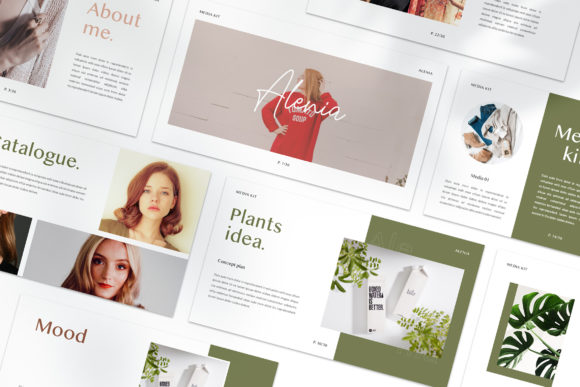
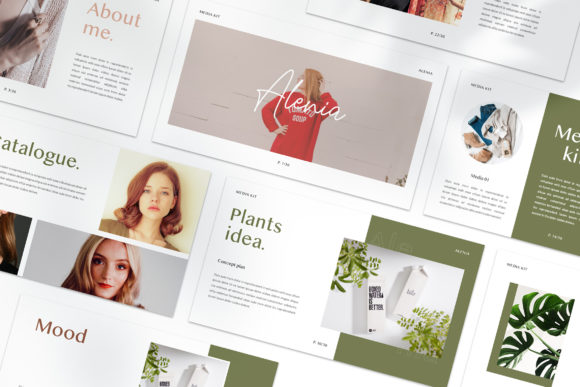
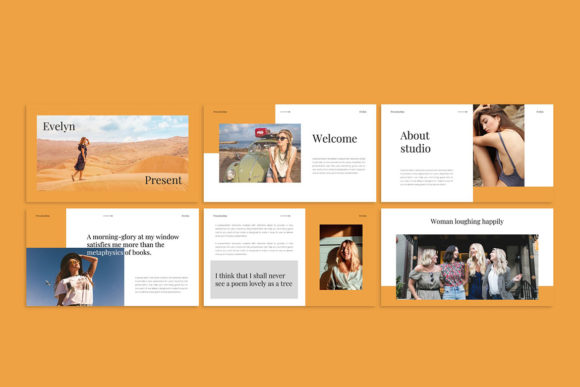
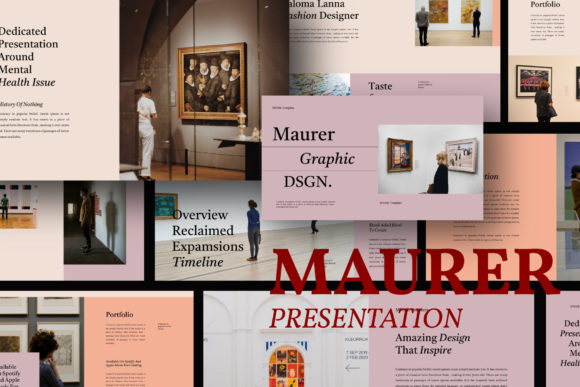
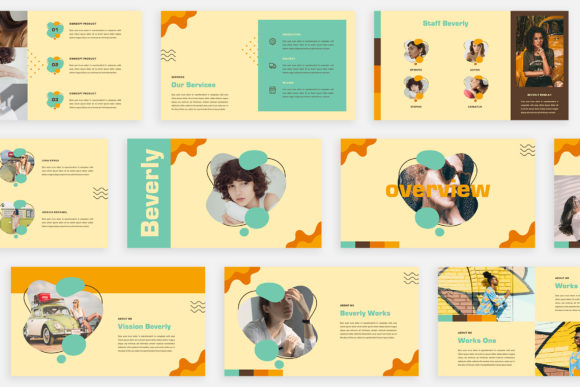
Most presentation templates on the market rely on a "cookie-cutter" approach. You usually get one master layout repeated thirty times with slight variations in where the text box sits. BEVERLY takes a different approach. Each slide is designed as a unique composition. This is crucial for anyone in digital media or marketing, where visual fatigue is a real enemy. When your audience sees the same grid layout slide after slide, their attention wanders. However, when you present a lookbook style layout followed by a bold typographic statement, followed by a magazine-style image spread, you are guiding their eyes through a story.
This template is built on the philosophy that a presentation should feel like an editorial design project. It treats your content not just as bullet points to be read, but as visual assets to be experienced. For a creative agency or a freelancer, this distinction is vital. It signals to your business partner or client that you value visual consistency and professional presentation as much as the work itself.
The Power of the Retro Aesthetic
Design trends are cyclical, but the "retro" look has proven to be more than just a passing fad. It evokes nostalgia, warmth, and a sense of authenticity that modern, flat design sometimes lacks. The BEVERLY template taps into this retro vibe without feeling outdated. It uses unique theme colours and a magazine style layout that can be adapted to fit a variety of moods—from a 70s-inspired earthy palette to a neon-soaked 80s vibe.
For brand identity, this aesthetic is powerful. If you are a boutique brand, a lifestyle blogger, or a small business owner selling artisanal goods, your visual language needs to feel curated. Standard corporate blue slides won't cut it. BEVERLY provides the framework for a premium font and image pairing that feels high-end yet approachable. It allows you to create social media graphics or pitch decks that look like they were designed by a high-end agency, even if you are working out of your home office.
Practicality Meets Aesthetics: The Technical Edge
A beautiful design is useless if it’s difficult to edit. One of the standout features of the BEVERLY template is its use of the Slide Master. For those unfamiliar, this is the backbone of PowerPoint and Google Slides design. It allows for drag & drop functionality. You don't need to manually resize images to fit awkward placeholders. You simply drop your image in, and the template does the rest.
This feature is a massive time-saver for content creators and entrepreneurs who are constantly iterating on their decks. The template is fully editable, meaning you aren't locked into the initial retro colour scheme. The automatic color change feature is particularly clever; with a few clicks, you can align the entire presentation with your specific brand hex codes. This ensures visual consistency across all your marketing assets, from the slide deck to your web design and packaging design.
Furthermore, the resolution matters. We are long past the days of fuzzy projector images. BEVERLY is set to High-res 1920x1080 Pixel (Full HD). This ensures that if you are presenting on a large screen or sharing your screen during a Zoom call, the typography and images remain crisp. This level of clarity contributes directly to readability and keeps the focus on your message.
Applications Beyond the Boardroom
While the primary use case is a presentation, the versatility of the BEVERLY - Retro Google Slide Template extends much further. Because of its lookbook nature, it is an excellent tool for creating digital products. You could use it to design a digital magazine, a mood board for a client, or a visual catalogue for an e-commerce store.
Consider the needs of a photographer or a designer compiling a portfolio. Instead of sending a standard PDF, you can send a styled, interactive slide deck that mimics the feel of a physical magazine. This adds a tactile quality to a digital file. It can also be repurposed for:
- Invitations: Create stylish, animated event invites that stand out in an inbox.
- Editorial Layouts: Draft blog post layouts or newsletter designs using the grid systems provided.
- Brand Pitches: Use the magazine style layout to present mood boards and brand guidelines to business partners.
The goal is to provide the best for you, whether you are presenting a strategy to a client's business or showcasing your own personal project. The template adapts to the user, rather than forcing the user to adapt to the template.
Mastering Typography and Imagery
Typography is the voice of your design. The BEVERLY template comes with a recommendation for free fonts (links provided in the instruction PDF) that complement the retro aesthetic. However, understanding how to pair these with your existing brand fonts is a skill worth developing.
If you are using this for a corporate client, you might want to swap the suggested display fonts for a clean sans serif font for body text to ensure maximum readability in a formal setting. Conversely, if you are a blogger or crafter, leaning into a script font or a handwritten font for headers can enhance the personal feel of the presentation.
When it comes to imagery, the template utilizes Picture Placeholders. It is important to note that the preview images are for illustration. To get the most out of this style, you need high-quality photography. Websites like Unsplash or Pexels are excellent resources for royalty-free imagery that fits the editorial vibe. Look for photos with natural lighting, interesting textures, and candid compositions. Avoid overly staged stock photos; the retro look thrives on authenticity.
Ensuring Commercial Viability
For the creative entrepreneur, understanding the commercial application of your tools is non-negotiable. When you purchase a premium template like BEVERLY, you are buying a license to use the design structure. You can confidently use the final output for commercial presentations, client pitches, and digital products.
However, always double-check the licensing for the specific fonts and images you integrate. While the template structure is yours to use commercially, the free fonts linked usually have their own open-source licenses (like SIL Open Font License), which generally allow for commercial use but prohibit selling the font file itself. This is standard practice in the design world, but it is always good to be diligent.
Final Thoughts on Presentation Strategy
Ultimately, the BEVERLY - Retro Google Slide Template is a tool designed to remove the friction between your idea and its visual representation. It acknowledges that in today's fast-paced digital landscape, attention is the most valuable currency. By utilizing a unique, non-recurring layout structure and a stylized retro aesthetic, you are doing more than just sharing information; you are creating an experience.
Whether you are a marketer trying to sell a vision, a designer showcasing a portfolio, or a small business owner pitching to investors, the way you present matters. This template offers a blend of modern typography, editorial design principles, and practical functionality that can elevate your communication from mundane to memorable. We hope that this tool helps you look presentable, professional, and creative in front of any audience. Good luck with your next presentation.