Alisha: The Keynote Template That Actually Looks Different
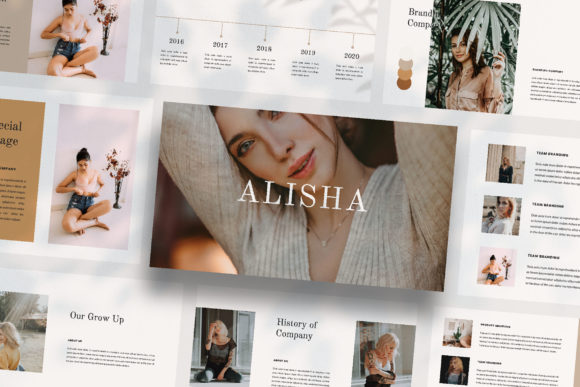
You know the feeling. You open a new presentation template, scroll through the slides, and realize you're looking at the same layout repeated fifteen times with different placeholder text. The Alisha - Keynote Template takes a fundamentally different approach. Each slide stands on its own—unique compositions, distinct visual rhythms, layouts that feel like they belong in a design magazine rather than a corporate boardroom. If you've been searching for a presentation template that treats every single slide as an opportunity to make a visual statement, this one deserves your attention.
Why Every Slide Matters More Than You Think
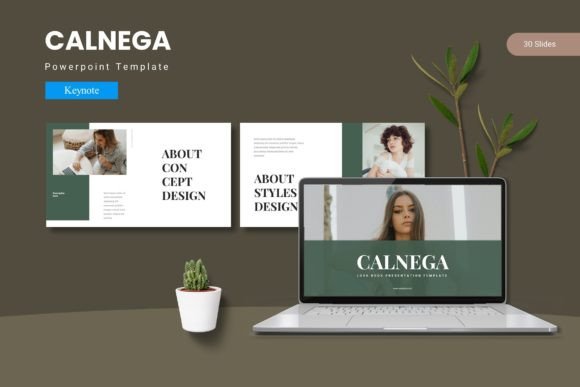
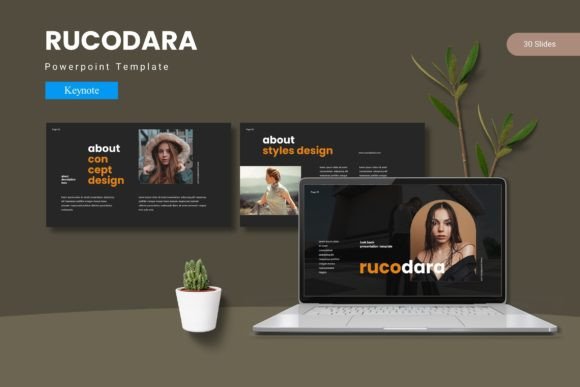
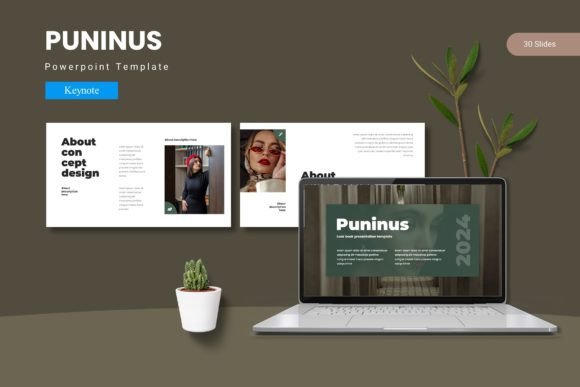
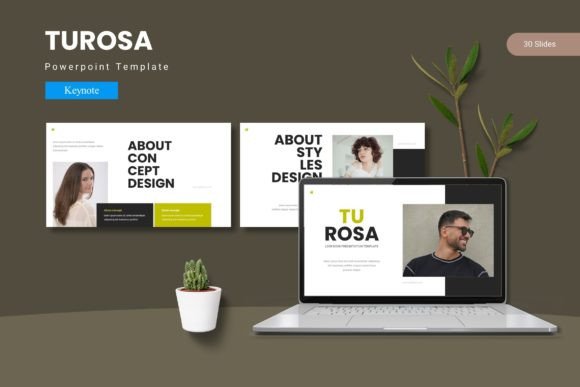
Most presentation templates rely on a handful of master layouts. You get a title slide, a content slide, maybe a two-column option, and a closing slide. Then you shuffle between these four or five variations for twenty minutes while your audience slowly loses interest. The Alisha template eliminates that repetition entirely. With its lookbook and magazine-inspired layouts, every slide transition feels intentional. Your audience stays engaged because they're not predicting what comes next—they're experiencing something fresh on every screen.
This matters whether you're pitching a new client, presenting quarterly results to stakeholders, or sharing your portfolio with potential collaborators. The way information is framed visually directly affects how people receive and remember it. A slide that uses asymmetric text placement with generous white space communicates something entirely different than a centered bullet-point list, even when the content is identical.
Real Applications Beyond the Boardroom
Digital media professionals have found creative uses for presentation templates that extend well beyond traditional slideshows. The Alisha template's magazine-style layouts work beautifully for creating mood boards for branding projects. Instead of assembling separate documents in design software, you can compile color palettes, typography samples, imagery references, and brand positioning statements into a single cohesive Keynote file that clients can flip through naturally.
Content creators and social media managers use presentation templates as design asset libraries. Each unique slide layout becomes a potential Instagram carousel template, a Pinterest graphic foundation, or a LinkedIn post visual framework. When every slide has a distinct composition, you're essentially getting dozens of pre-designed layouts that maintain visual consistency while offering enough variety to keep your feed from looking repetitive.
Small business owners preparing investor decks or partnership proposals benefit enormously from templates that don't look like templates. The Alisha approach—with its full HD 1920×1080 resolution and carefully considered typography—signals professionalism without requiring a designer on retainer. You drop in your own images using the built-in placeholders, adjust the text, and you have a presentation that looks custom-designed.
Customization That Actually Works
Built on Slide Master architecture, the Alisha - Keynote Template uses a drag-and-drop image system that respects your time. Picture placeholders mean you're not resizing, cropping, and repositioning images manually on every slide. You select the placeholder, add your photograph, and the template handles the framing. For anyone who has spent hours wrestling with image placement in presentation software, this feature alone justifies the investment.
The automatic color change functionality is particularly useful for agencies and freelancers working across multiple brands. Rather than manually updating every slide when switching between client presentations, you adjust the theme color once and watch the entire deck transform. This kind of thoughtful engineering reflects an understanding of how people actually use templates in professional settings—not as static files, but as living tools that adapt to different projects.
Typography choices matter in any design asset, and this template uses freely available fonts with links provided in the included instruction PDF. This eliminates the frustrating scenario where you purchase a template only to discover it requires additional font purchases or complicated licensing arrangements. The fonts are accessible, which means your entire team can open and edit the file without font compatibility issues derailing a deadline.
Matching Visual Style to Project Goals
Choosing the right presentation style depends entirely on what you're communicating and who's receiving it. The magazine and lookbook layouts in this template serve specific purposes particularly well. If you're a creative professional showcasing photography, design work, or artisan products, these layouts frame visual content with the editorial sophistication it deserves. The generous image areas and intentional text placement mimic the design language of high-end publications, which immediately elevates perceived quality.
For marketing presentations, the layout variety becomes a strategic advantage. Different types of information benefit from different visual treatments. Data-heavy slides need clear hierarchy and breathing room. Story-driven slides benefit from full-bleed imagery with minimal text overlay. The Alisha template provides both extremes and everything between them, so your presentation flow matches your narrative arc rather than fighting against template limitations.
Think about your audience's expectations. A pitch to venture capitalists demands clean professionalism. A workshop for fellow creatives can embrace bolder compositions. A client brand review needs to feel polished but approachable. The template's range accommodates all these contexts because the individual layouts span from minimal to expressive, giving you the flexibility to curate a presentation that fits your specific moment.
Building Visual Consistency Across Projects
One of the most practical benefits of a well-structured template is how it reinforces brand identity across multiple touchpoints. When you establish your brand colors and typography within the Alisha template, every presentation you create shares visual DNA with your other marketing materials. This consistency builds recognition over time. Clients and partners begin associating specific visual elements with your brand, which strengthens trust and recall.
The full HD resolution ensures your presentations look sharp on any screen, from laptop displays to conference room projectors. This technical detail matters more than people realize. A presentation that looks crisp and professional on a sixty-inch screen communicates competence in ways that extend beyond the content itself. Conversely, pixelated images or blurry text—even if the information is solid—introduces doubt about attention to detail.
For teams collaborating on presentations, the standardized structure of a quality template reduces friction. Everyone works within the same framework, which means handoffs between team members don't result in visual chaos. The Slide Master foundation ensures consistency even when multiple people contribute content, because the underlying design system keeps everything aligned automatically.
Getting the Most From Your Template Investment
Before diving into content creation, spend time reviewing every slide layout available in the template. Understanding the full range of options prevents you from defaulting to the same three or four slides repeatedly, which defeats the purpose of a template with unique layouts. Map your content to specific slides strategically—place your strongest visual content on the most dramatic layouts, reserve cleaner compositions for data-heavy sections, and use transitional layouts to shift between topics smoothly.
Test your chosen imagery at the actual presentation resolution. Photographs that look beautiful on your phone screen might lose impact when stretched to full HD, or they might reveal compression artifacts invisible at smaller sizes. The template's picture placeholders make swapping images painless, so experiment with different photographs before committing to your final selection.
Remember that the images shown in template previews are for illustration purposes only and aren't included in the download. Plan your photography or source your images from stock libraries before you begin assembling your presentation. Having your visual assets ready ensures a smooth workflow and prevents the common trap of spending more time searching for images than actually building your deck.
The Alisha - Keynote Template ultimately works because it respects both the designer's intent and the presenter's reality. It offers enough structure to maintain professionalism while providing enough variety to keep every presentation feeling genuinely crafted rather than assembled from recycled parts. Whether you're building a brand pitch, a creative portfolio, or a marketing strategy deck, having a template that treats each slide as its own design moment changes how your audience experiences your ideas.